
Built by construction, for construction.
From field time to payroll, without the cleanup.
Crews clock in against a project and a cost code. Supervisors review the day before it counts. Payroll gets hours already coded, checked, and ready to export.
Set it up yourself — no sales call, no setup fee, cancel anytime.


- Project + cost code
- Chosen at clock-in, not reconstructed on Friday.
- Supervisor review
- The day is checked before it reaches payroll.
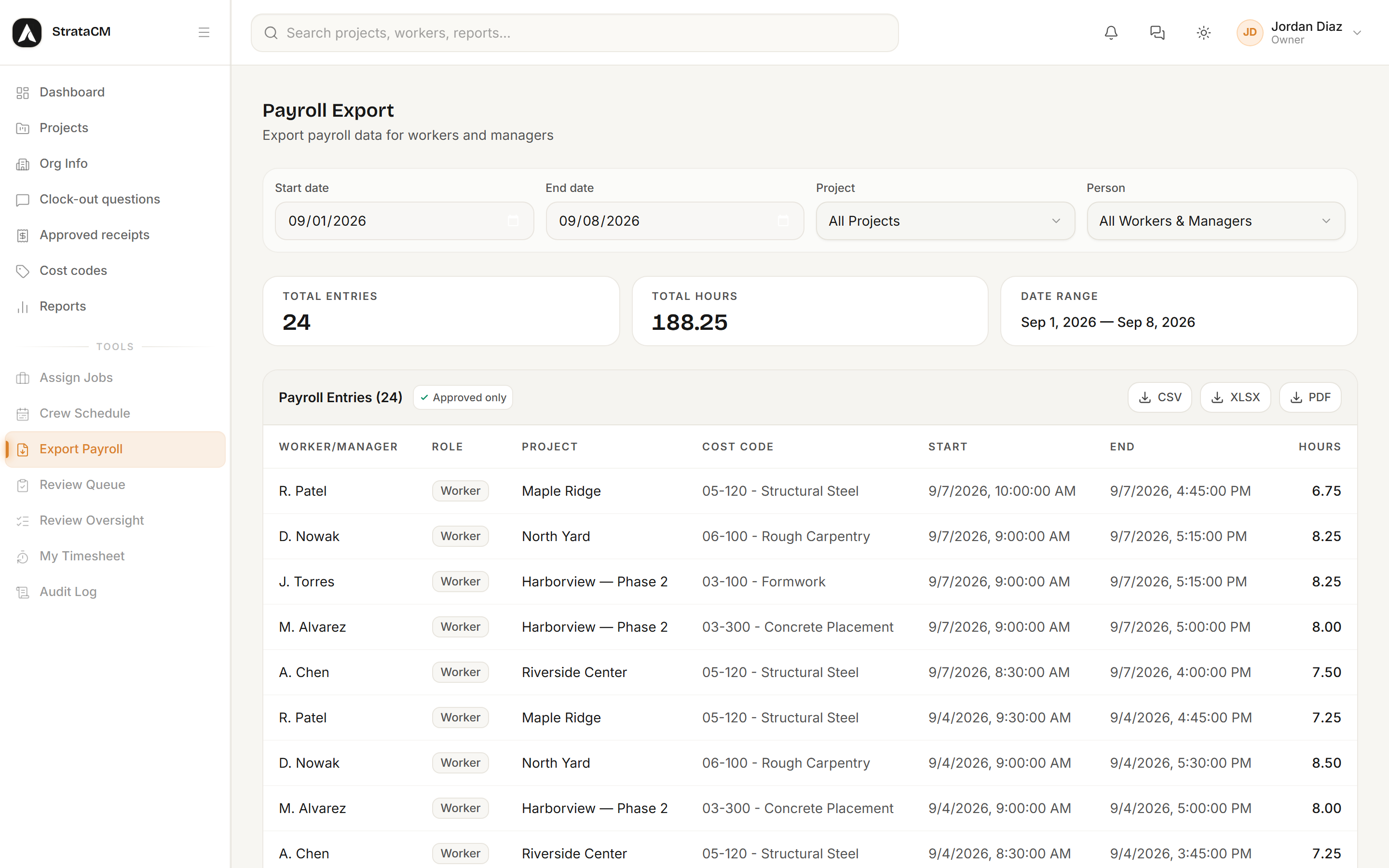
- Payroll-ready export
- Approved hours out as CSV, Excel, or PDF.
- Nothing to implement
- Add your projects and cost codes, then invite the crew.
How a shift travels
The same entry moves from the jobsite to payroll. Nobody re-types it on the way.
In the field
Clock in
Project and cost code
Clock out
Answer the day's questions
In the office
Review
Approve or send it back
Approved
Payroll-eligible
Export
CSV, Excel, or PDF
In the field
The hours start out right.
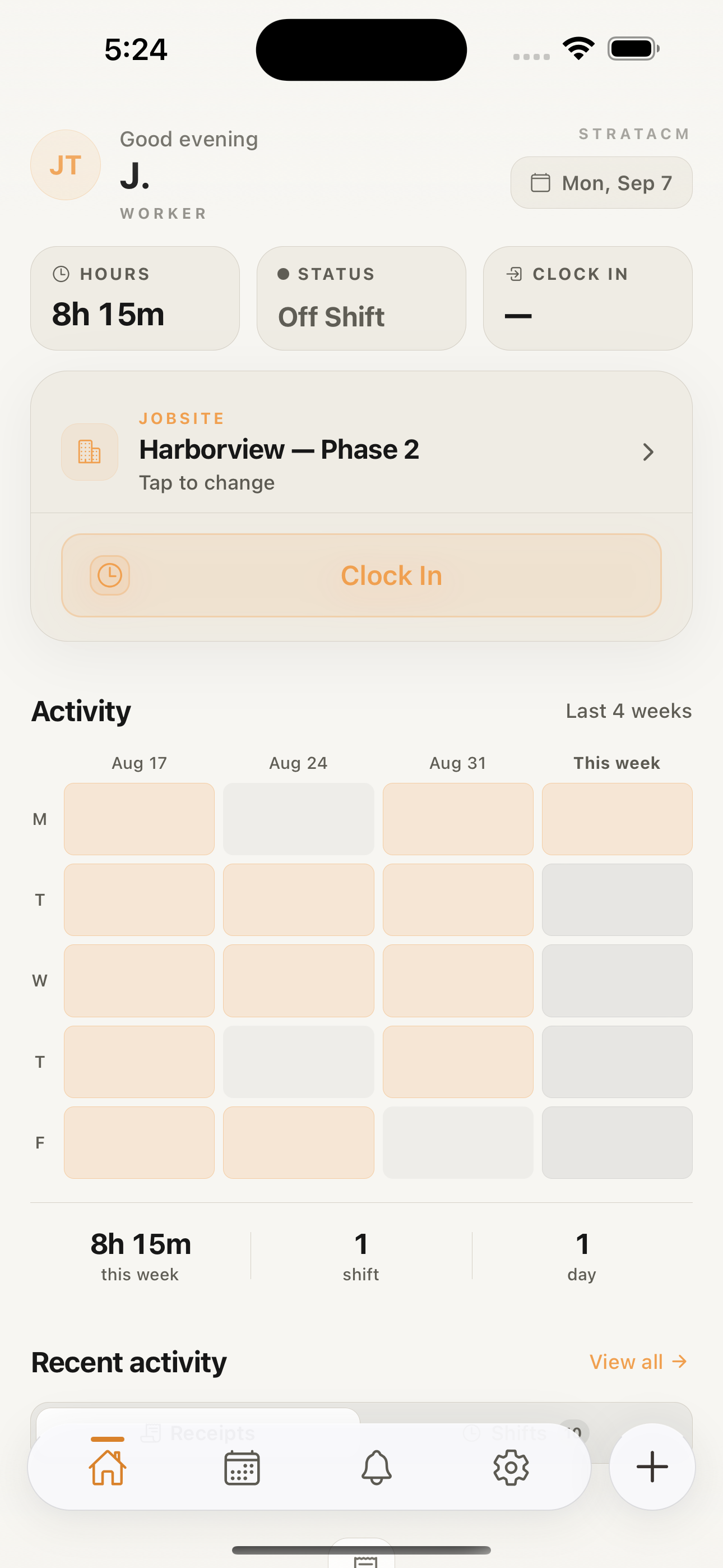
A worker opens the app, picks the project and the cost code, and clocks in. Time is coded at the source instead of reconstructed from memory on Friday afternoon.
- Signal is optional
- Clock-ins queue on the device and sync the moment a bar of signal comes back. A basement or a dead zone does not cost you the entry.
- Location at clock-in, not all day
- StrataCM takes a location fix when the worker clocks in. There is no continuous background tracking to explain to your crew.
- The same app runs the crew
- Supervisors clock in, work the review queue, and file the day's log from the phone they already carry around the site.
Pending clock-in — offline
On the clock since
6:58 AM
Harborview — Phase 2
03-100 — Formwork
Projects and cost codes
Right work. Right code.
Bring the codes you already use — import them from CSV or Excel, then let workers pick one at clock-in. Every hour lands against a real project and a real code while the job is still running.
- Your codes, not a new scheme
- Import an existing cost-code list and search it by code or title. Nobody has to relearn how the company numbers work.
- Assigned per project
- Assign codes to a project and that project's picker only offers those — so the list stays short even when the company's runs to thousands.
- 03-100Formwork
- 03-300Cast-In-Place Concrete
- 05-120Structural Steel
- 06-100Rough Carpentry
- 09-250Gypsum Board
- 26-050Electrical Rough-In
Review and payroll
Cleaner payroll. Less cleanup.
Time goes through review before it goes anywhere else. A supervisor approves it, sends it back for changes, or rejects it — and only approved entries reach the export.
| Worker/Manager | Project | Cost Code | Hours | |||
|---|---|---|---|---|---|---|
| J. Torres | Harborview — Phase 2 | 03-100 | 8.25 | |||
| M. Alvarez | Harborview — Phase 2 | 03-300 | 8.00 | |||
| A. Chen | Riverside Center | 05-120 | 7.50 | |||
| D. Nowak | North Yard | 06-100 | 8.25 | |||
| TOTALS | 32.00 |
- Filtered before it is exported
- By date range, project, or person — the same filters the review queue uses.
- Three formats
- CSV, Excel, and PDF, with a totals row your bookkeeper can check at a glance.
- A record of who signed off
- The approval is recorded against the task with the reviewer who made it, so a question about last month has an answer.
Put field time to work.
Pick a plan, set up your organization, and invite your crew. Or ask for early access and we will walk you through it.